


Post Run Stretching with Jake Abdinoor and iOS App: Seconds
- Jonathan

- Jan 10, 2020
- 2 min read
I love to combine anything I can with technology, and when it comes to stretching that is no exception. I often run and stretch afterwards and I follow the routine that Jake Abdinoor posted on his YouTube channel about 1 year ago. You can view the original video HERE.
Jake travels the world running and posting Youtube videos - he's personally given me plenty of inspiration!
While watching the video is great, I wanted to create a more efficient way to do the exercises after I had come home all sweaty and out of breath. I could write them down on a piece of paper and use the timer on my watch to time myself, but that didn't seem like something I would reliably do each and every time (and more importantly it was difficult to track).
I searched high and low for the best application to suit my needs and came across Seconds: Interval Timer which happened to be the perfect solution. Seconds allows you to create custom interval timers and customize just about everything about them - perfect for recording stretches (and HIIT workouts if you're into that).



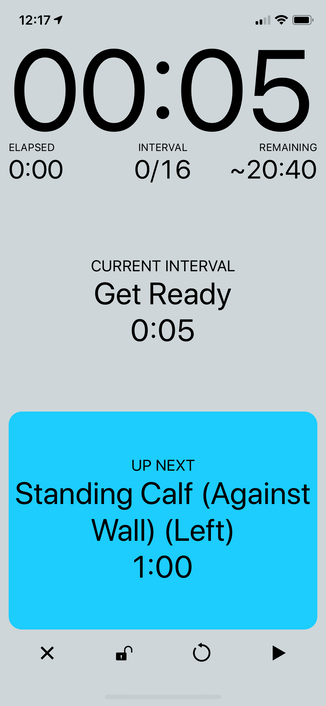

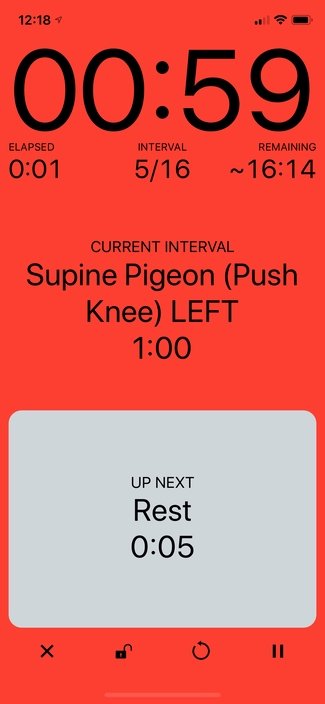
I meticulously watched his video and wrote down all of the stretches and then put them into the Seconds application. I set the activity type to: Mind and Body which allows me to track how much time I have spent doing the stretches in Apple Health (and you can even set goals using the iOS app Streaks this way with their Apple Health goal setting integration).
I was even able to export the routine I had created for anyone else who wants to import that into their own Seconds application and can be found:
HERE!
All credit goes to Jake for sharing his expertise and insights, but I wanted to share with you an easy way to make sure you're stretch and tracking your progress along the way.
Thanks for reading!


Comments